



Power your solo engine
Power your solo engine
An honest comparison of two powerful tools, shaped by real user insight.
Over the last few years, productivity software has shifted from single purpose tools to “all-in-one” workspaces. Instead of juggling separate apps for notes, tasks, documentation, and collaboration, teams increasingly want one platform that can handle everything.
Two tools consistently dominate that conversation: Notion and ClickUp.
At first glance, both tools claim to be “all-in-one.” Both offer tasks, docs, collaboration, and AI features. Both serve startups, freelancers, and enterprise teams. That overlap is precisely why they need to be compared.
But beneath the surface, they embody two different philosophies:
Notion is information-first.
ClickUp is execution-first.
Notion began as a flexible, modular workspace built around pages and databases. It’s often described as a digital “LEGO set” for productivity, users can build wikis, content calendars, CRM systems, project boards, knowledge hubs, and personal planners from the same foundational blocks. Its strength lies in flexibility and information architecture.
ClickUp, by contrast, positions itself as a complete project management and execution platform. It focuses on structured workflows, task hierarchies, automation, dashboards, reporting, and workload visibility. While it also offers docs and collaboration features, its core DNA is operational execution, helping teams plan, track, and deliver work efficiently.
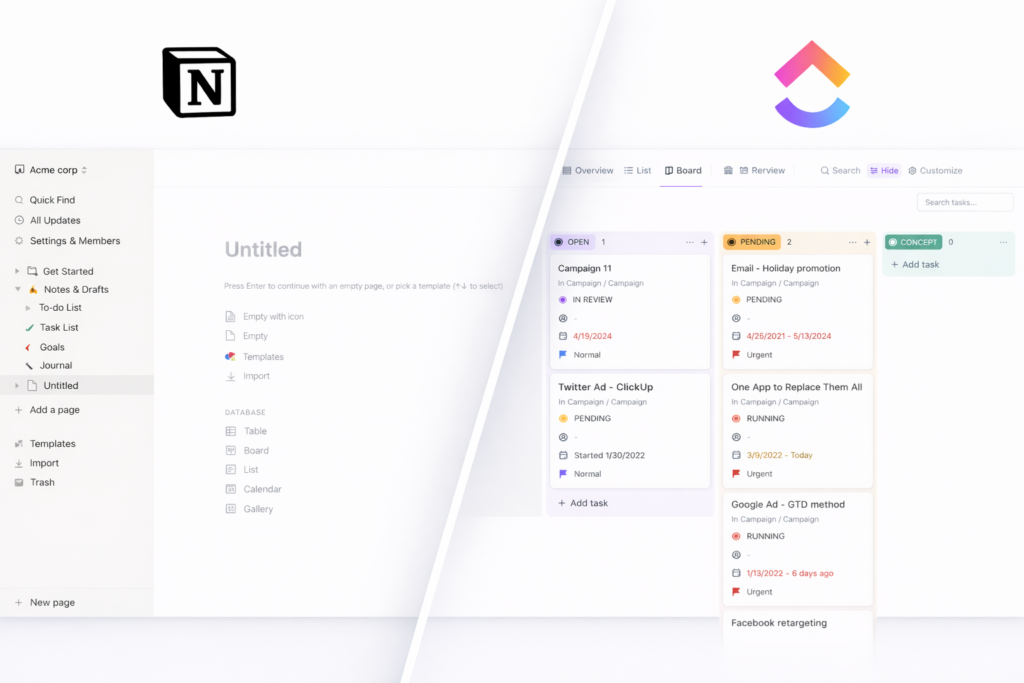
Notion feels like a customizable workspace you build.
You assemble pages and databases into whatever system matches your brain or your team. That flexibility is a feature, but also a source of setup time. (Reddit users repeatedly describe Notion as a “blank slate.”)
ClickUp feels like a project management system you configure.
It comes with more “infrastructure” out of the box (statuses, lists/spaces, dashboards, automations), and you tailor it from there.
Get a feel for the UI of Notion and Click-Up
Disclaimer: Both of these video are featured from youtube and have not been produced by Productivity Fuel. To see more from these channels, click the icon on the top left of each video.
1. Extremely flexible
You can build almost anything — a wiki, CRM, content calendar, project tracker, personal planner — all from the same system.
2. Excellent for documentation
Notion is great for writing, organizing knowledge, and creating internal wikis.
3. Clean, minimal interface
It feels calm and uncluttered compared to heavier project management tools.
4. Strong database features
You can connect information together (e.g., tasks linked to projects, projects linked to clients).
5. Great for individuals and small teams
Especially if your work revolves around ideas, content, or knowledge.
1. Strong project management tools
Includes dashboards, workload views, recurring tasks, goals, time tracking, and automation — ready to use.
2. Great visibility for managers
It’s easier to see who’s doing what and track progress across teams.
3. Built-in automation
You can automate tasks and workflows without needing extra tools.
4. More structure from the start
You don’t have to build everything from scratch.
5. Often better value for mid-sized teams
Pricing can be competitive for the amount of features included.
1. Requires setup time
It starts as a blank slate. You often have to build your own system before you can use it properly.
2. Weaker out-of-the-box project management
Advanced features like workload tracking, time tracking, and detailed reporting are limited or require workarounds.
3. Can become messy
Without structure, workspaces can grow chaotic over time.
4. Automation is limited natively
You may need third-party tools for more advanced workflows.
1. Can feel overwhelming
There are a lot of features. New users may feel overloaded.
2. Interface can feel busy
Compared to Notion, it’s more operational and less minimalist.
3. Not as strong for deep documentation
It has docs, but it’s not as elegant for long-form knowledge management.
4. Customization can become complex
With great flexibility comes configuration effort.
“ClickUp is better for task/project management.”
Several users are direct about this: ClickUp wins when it comes to structured task management. It’s described as more powerful out of the box, especially for tracking work across teams. Some also note that ClickUp Docs have improved significantly, closing the gap with Notion.
“Notion’s blank slate is both its magic and its trap.”
Users often describe Notion as starting from a deeper blank slate. That flexibility is powerful – but it can also mean spending “hours on hours” building systems or searching for templates. In contrast, ClickUp is said to provide more initial structure and ready-made workflows.
“Integrations can be decisive (especially calendars).”
One user who migrated from Notion to ClickUp highlights ClickUp’s built-in Google Calendar integration as a major advantage. They describe their attempts to recreate similar functionality in Notion, even using automation tools, as clunky and harder to maintain.
Which is best for you?
Who Are you?
Notion or
ClickUp?
Why?
Creative Freelancer
eg. designers, writers, video editors
Notion
Great for managing ideas, briefs, drafts, inspiration, and client notes in one flexible workspace.
Technical Freelancer
eg. developers, product consultants
ClickUp
Strong task structure, milestones, sprint-style workflows, and clearer deliverable tracking.
Marketing / Campaign Freelancer
Depends on complexity
Light content planning → Notion. Heavy deadline & campaign tracking → ClickUp.
Student
Notion
Best for notes, research, linking information, and simple assignment tracking. ClickUp is usually overpowered here.
Solo or Duo Business
(1 – 2 people)
Notion
Ideal for strategy docs, brainstorming, planning, and building a “company brain.”
Small to large Business
(3+ people)
ClickUp
Better for delegation, tracking work, and keeping everyone accountable.
Small Knowledge-Based Business
eg. consulting, creative agency (1-10 people)
Notion
Strong documentation, internal wikis, and collaborative information systems.
Notion
Click Up
Basic Plan
Free
Free
Plus (annual)
$120
$84
Business (annual)
$252
$144
Enterprise
Contact Sales
Contact Sales
Both ClickUp and Notion are available globally and offer pricing in multiple major currencies. Please note that pricing may vary by region and is subject to change. For the most up-to-date plan details and current pricing, refer to the official links below.
Notion and ClickUp are both powerful productivity platforms, but they are designed for different ways of working. Notion focuses on organizing information, notes, documents, databases, and knowledge systems, while ClickUp focuses on executing work through structured tasks, projects, and workflows. Because both tools offer overlapping features, choosing the right one largely depends on how you work and who you work with.
If you are a student, creative freelancer, or someone working mostly independently, Notion is often the better choice. Its flexible structure makes it ideal for managing ideas, notes, content plans, and documentation in one place. It also works well for early-stage founders who are still planning and organizing their business rather than managing a team.
ClickUp tends to be the stronger option once work becomes more structured or collaborative. Technical freelancers, startups with several team members, and growing businesses usually benefit from ClickUp’s task management, automation, dashboards, and workload tracking. As teams grow and projects become more complex, the visibility and accountability ClickUp provides becomes increasingly valuable.
In terms of cost, both tools offer free plans and affordable paid tiers, though ClickUp’s entry-level paid plan is typically slightly cheaper. Ultimately, there is no single winner: Notion is best for flexible knowledge management and individual workflows, while ClickUp is better suited to structured project management and team execution.